


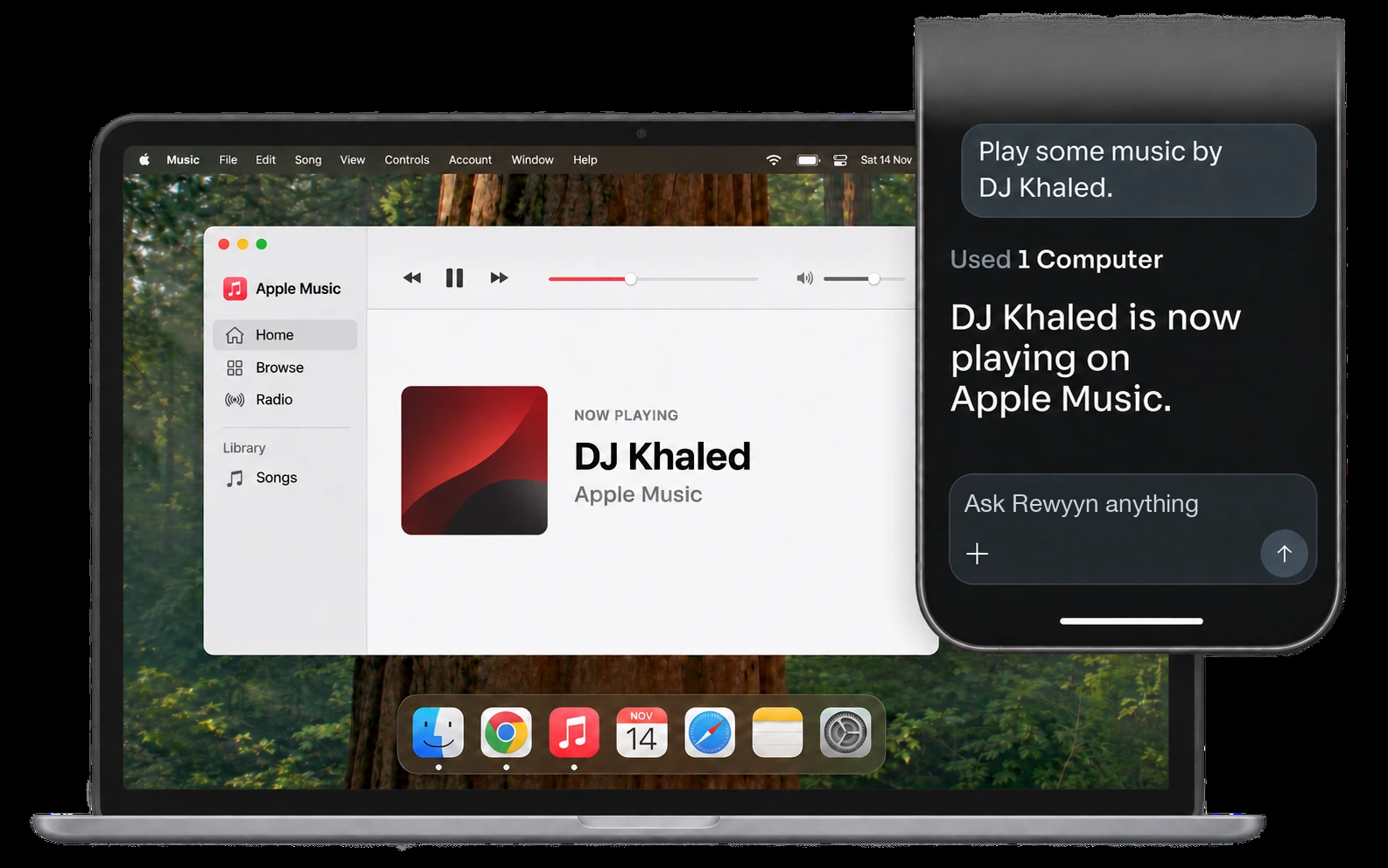
Remote sessions show your computer's screen more smoothly, with a visible cursor, so it is easier to follow what is happening from another device.
Voice input now works through your Rewyyn account. Speak a prompt and it is ready to send, with no extra setup.
Computer control now feels more like using the keyboard and mouse yourself. Clicks, typing, and scrolling behave naturally, and you can still stop or approve actions.
What changed
- A smoother live screenFollow the session from your phone with a visible cursor.
- Voice input that worksSpeak a prompt and have it ready to send.
- More natural computer controlClicks, typing, and scrolling feel closer to using the computer yourself.